Settings
The Settings page lets you configure how Aria Studio handles file uploads, downloads, and server communication during MPS processing.
Aria Studio shares its MPS configuration with the MPS CLI. Settings are stored at $HOME/.projectaria/mps.ini. Changes made in Aria Studio apply to MPS CLI and vice versa. For a full reference of configuration options, see the MPS CLI Guide.
Basic settings
The default settings view provides simplified controls for the most commonly adjusted options.
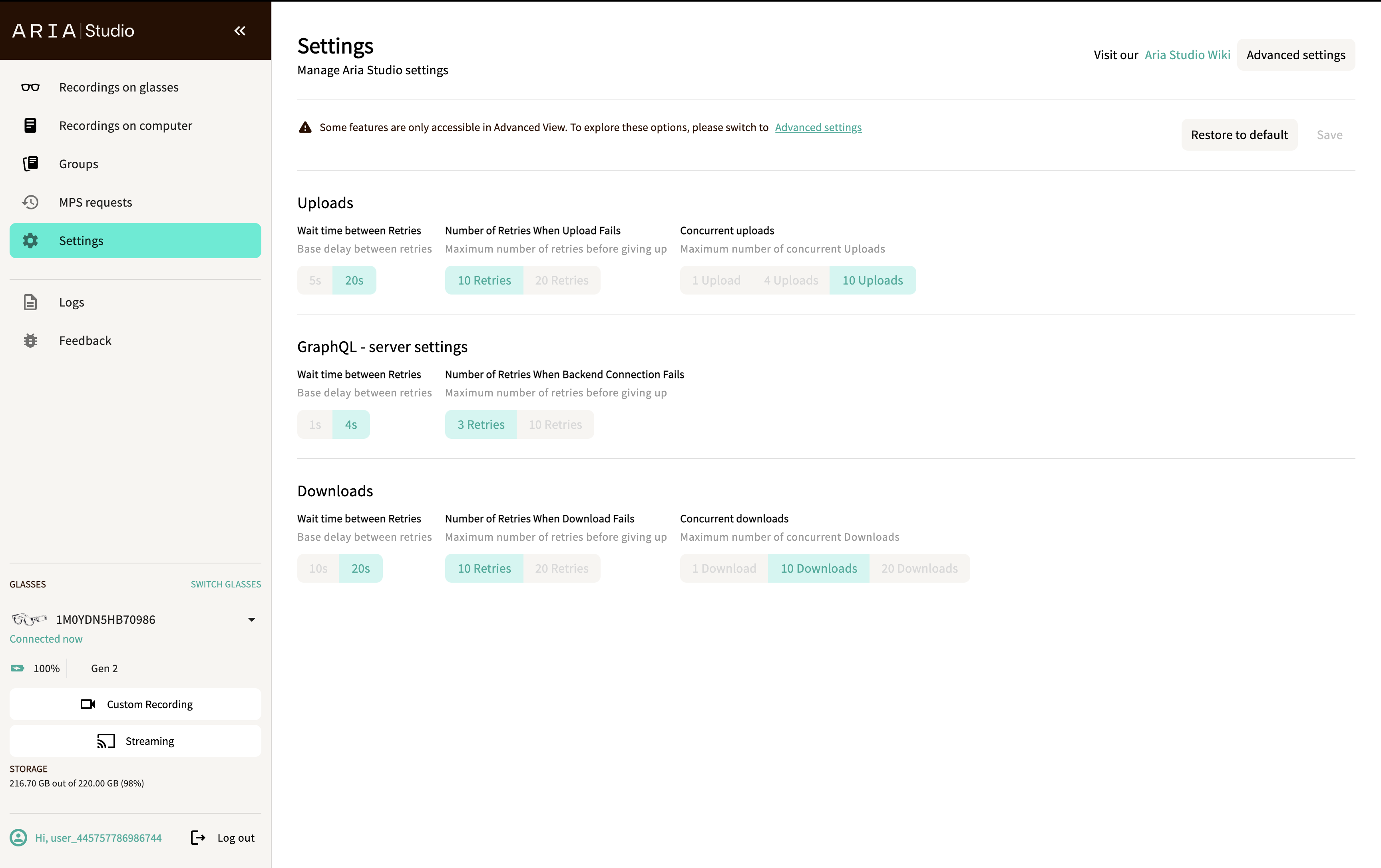
A banner reminds you that some options are only available in the Advanced View. Select Advanced settings (top right) to access the full configuration.
Uploads
| Setting | Options |
|---|---|
| Wait time between Retries | 5s / 20s |
| Number of Retries When Upload Fails | 10 Retries / 20 Retries |
| Concurrent uploads | 1 Upload / 4 Uploads / 10 Uploads |
GraphQL - server settings
| Setting | Options |
|---|---|
| Wait time between Retries | 1s / 4s |
| Number of Retries When Backend Connection Fails | 3 Retries / 10 Retries |
Downloads
| Setting | Options |
|---|---|
| Wait time between Retries | 10s / 20s |
| Number of Retries When Download Fails | 10 Retries / 20 Retries |
| Concurrent downloads | 1 Download / 10 Downloads / 20 Downloads |
Save and restore
- Select Save to apply your changes.
- Select Restore to default to reset all settings to their original values.
If you navigate away with unsaved changes, a confirmation dialog asks whether you want to discard or save your changes.
Advanced settings
Select Advanced settings for fine-grained control over all configuration options with numeric text inputs instead of preset toggles. These settings correspond directly to the fields in $HOME/.projectaria/mps.ini.
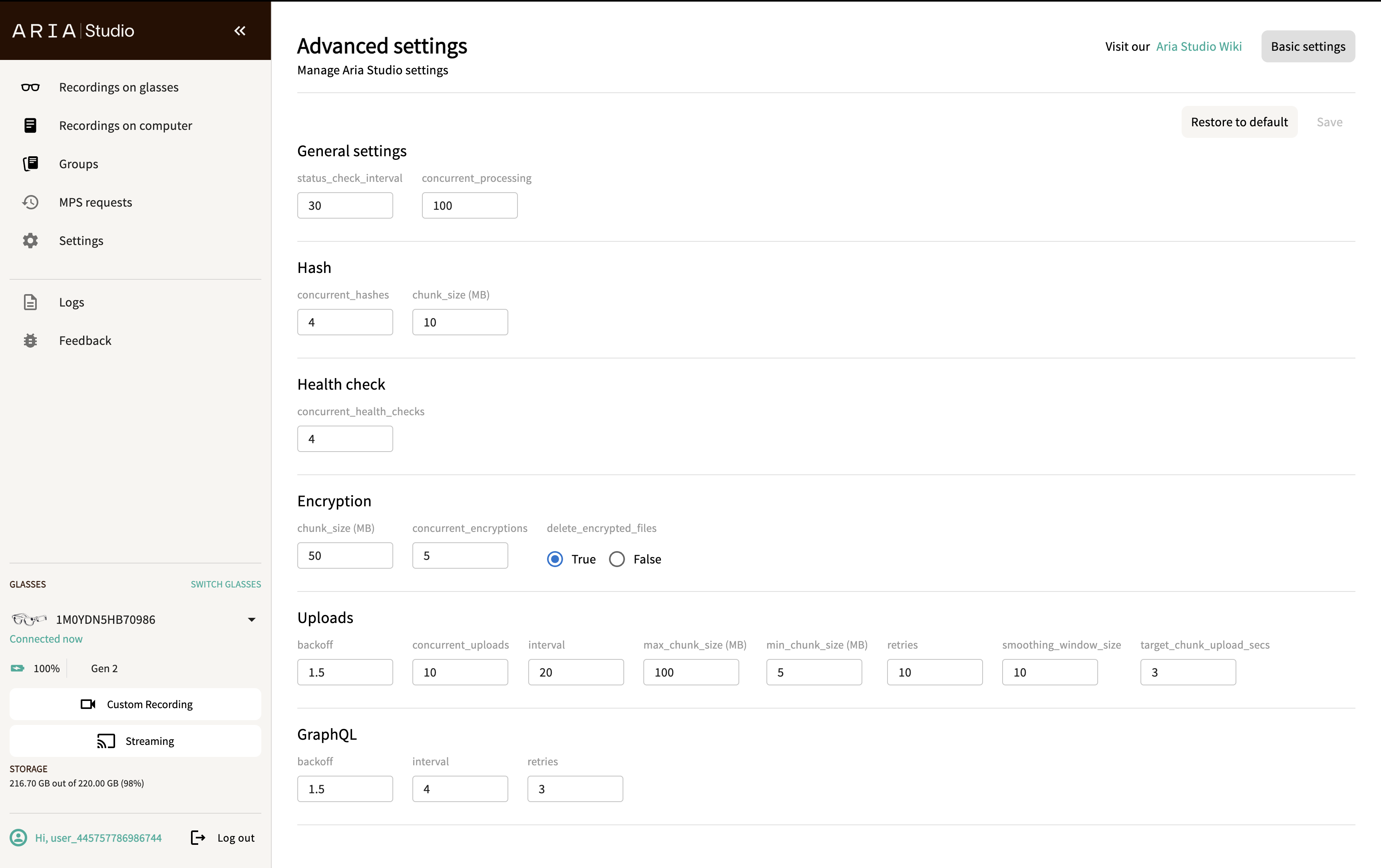
The advanced view exposes the full configuration organized into sections:
| Section | Setting | Description |
|---|---|---|
| General settings | status_check_interval | How often the tool checks the processing status on the server (in seconds) |
| concurrent_processing | Number of recordings to process concurrently | |
| Hash | concurrent_hashes | Maximum number of files that can be concurrently hashed |
| chunk_size (MB) | Chunk size used for hashing | |
| Health check | concurrent_health_checks | Maximum number of VRS file health checks that can run concurrently |
| Encryption | chunk_size (MB) | Chunk size used for encryption |
| concurrent_encryptions | Maximum number of files that can be concurrently encrypted | |
| delete_encrypted_files | Whether to delete encrypted files after upload completes | |
| Uploads | backoff | Exponential backoff factor for upload retries — the wait time between successive retries increases by this multiplier |
| interval | Base delay between upload retries (in seconds) | |
| retries | Maximum number of retry attempts before giving up | |
| concurrent_uploads | Maximum number of concurrent uploads | |
| max_chunk_size (MB) | Maximum chunk size for uploads | |
| min_chunk_size (MB) | Minimum chunk size for uploads | |
| smoothing_window_size | Number of uploaded chunks used to determine the next chunk size | |
| target_chunk_upload_secs | Target time (in seconds) to upload a single chunk — chunk size is adjusted based on actual upload speed | |
| GraphQL | backoff | Exponential backoff factor for server query retries |
| interval_sec | Base delay between server query retries (in seconds) | |
| retries | Maximum number of retry attempts before giving up | |
| Downloads | backoff | Exponential backoff factor for download retries |
| interval | Base delay between download retries (in seconds) | |
| retries | Maximum number of retry attempts before giving up | |
| chunk_size (MB) | Chunk size used for downloads | |
| concurrent_downloads | Number of concurrent downloads |
Each field has minimum and maximum bounds. Invalid values are highlighted with an error message. Byte-based fields (chunk sizes) are displayed in MB for readability.
To return to the simplified view, select Basic settings.