MPS Requests
The MPS Requests page shows the history and current status of all Machine Perception Services requests you've submitted.
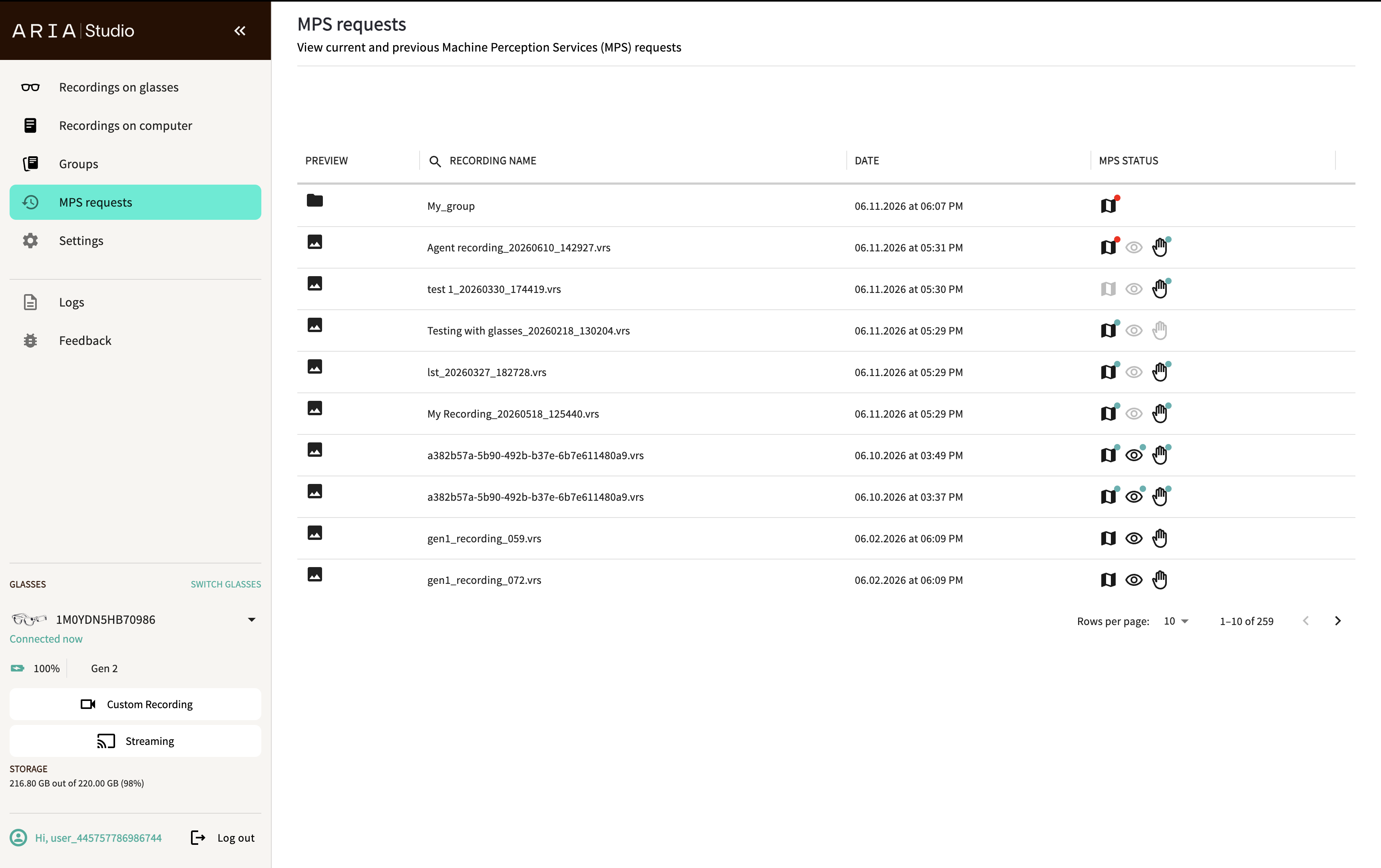
Request status table
All MPS requests appear in a paginated table with the following columns:
| Column | Description |
|---|---|
| Preview | Image icon for the recording |
| Recording Name | Name of the recording or request (searchable) |
| Date | When the request was submitted |
| MPS Status | Color-coded icons for each feature (SLAM, Eye Gaze, Hand Tracking) |
Status indicators
Each MPS feature shows a color-coded status icon:
| Color | Meaning |
|---|---|
| Gray icon | MPS not requested |
| Black icon | MPS requested |
| Red dot | MPS processing failed |
| Green dot | MPS processing succeeded — results are available |
Hover over any status icon to see a detailed tooltip with the current state.
Request lifecycle
When you submit an MPS request, it goes through these stages:
- Preparing — File is being hashed and validated. A VRS health check runs on every submission, so a recording is always re-validated even if you submitted it before.
- Uploading — VRS file is being encrypted and uploaded to the cloud.
- Processing — Cloud servers are running the requested MPS features.
- Downloading — Results are being downloaded to your local machine.
- Succeeded — Processing complete. Results are available for visualization.
If any step fails, the status shows Failed with an error code. You can retry failed requests from the Recordings on Computer or Groups page by selecting the recording and requesting MPS again.
For a list of error codes and how to resolve them, see MPS error codes.
For details on how uploaded data is processed, handled, and stored, see the MPS Data Lifecycle page.
Resume after restart
All in-progress MPS requests are persisted locally. If you close and reopen Aria Studio, any incomplete requests (uploading, processing, or downloading) will automatically resume where they left off.
Report an issue
If you encounter issues with MPS processing, you can submit a feedback report that includes your MPS request details. This creates a support request with the Project Aria team. Access this through the Feedback button in the sidebar.