Time Domain Mapping for Multi-device Wireless Recordings/Streaming
Time Domain Mapping enables wireless time synchronization between multiple Aria glasses using sub-GHz radio frequencies. This feature allows recordings from different devices to be precisely aligned in post-processing.
When to Use
- Recording with multiple Aria glasses simultaneously
- You need frame-accurate synchronization between devices
- Aligning multi-device data in post-processing pipelines
Configuring Time Domain Mapping
- Navigate to the Recording screen and tap Advanced Options.
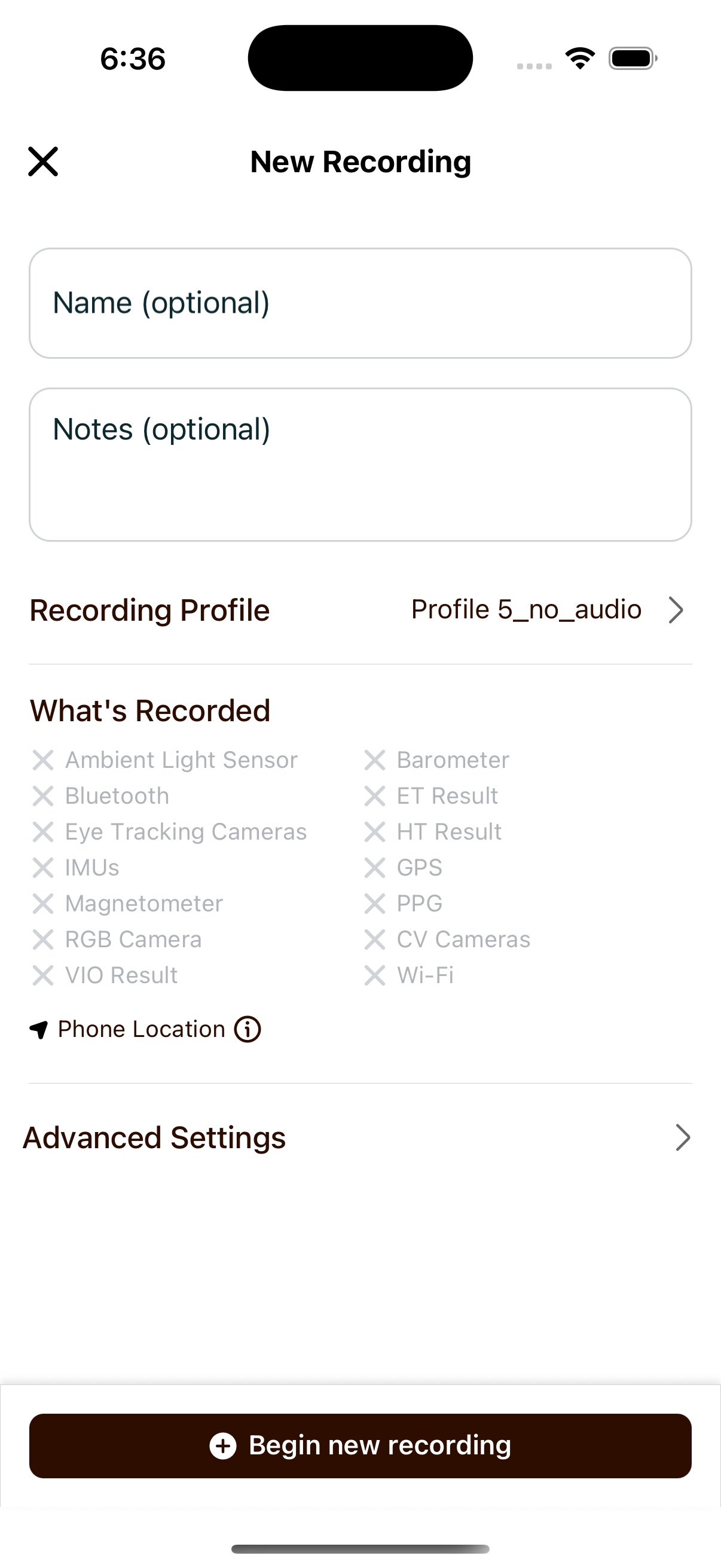
- Toggle Time Domain Mapping to enable the feature.
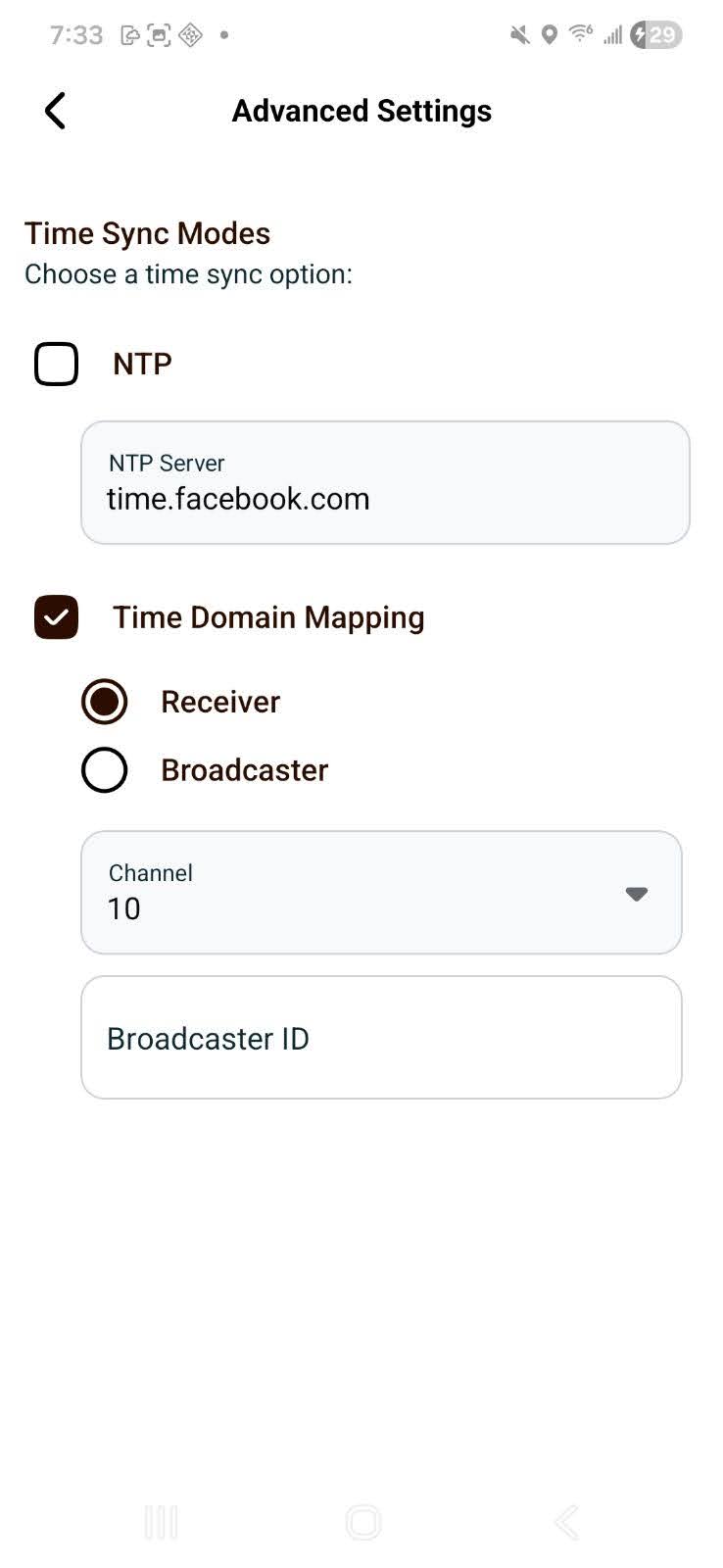
Selecting a Mode
Choose one of the following modes based on your device's role:
| Mode | Description |
|---|---|
| Broadcaster | This device transmits timing signals. This sets the glasses as the primary/reference device. A unique Broadcaster ID is auto-generated. |
| Receiver | This device listens for timing signals from a Broadcaster (primary device). Use for secondary devices. |
The Broadcaster does not have to be another Aria device. Timecode Bridge is an open-source hardware companion that broadcasts SMPTE LTC on the same sub-GHz protocol — configure all your glasses as Receiver and select the Bridge's channel to align Aria recordings with LTC-timecoded external gear.
Configuring Channel and Broadcaster ID
-
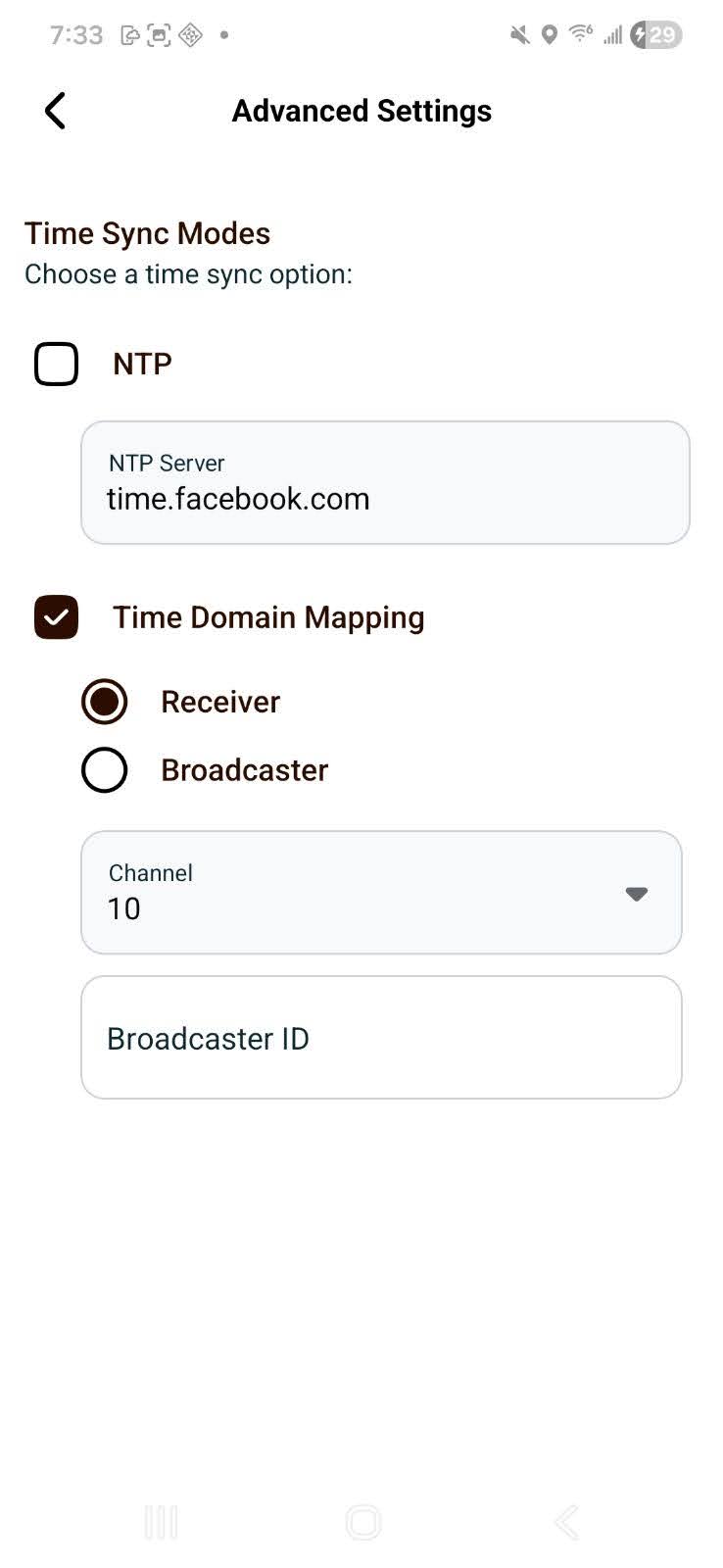
Select a Channel from the dropdown. All devices in your recording session must use the same channel.
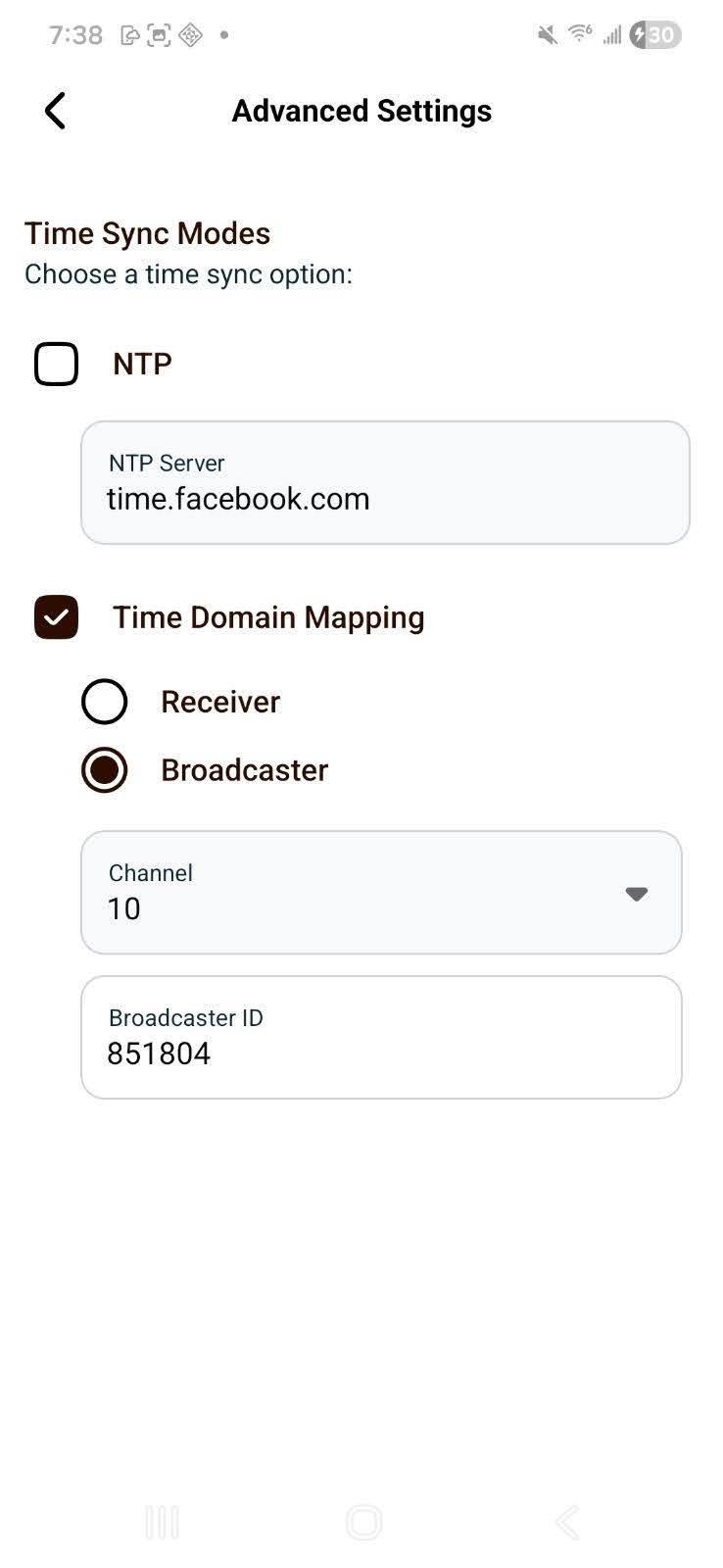
- Broadcaster (primary) device
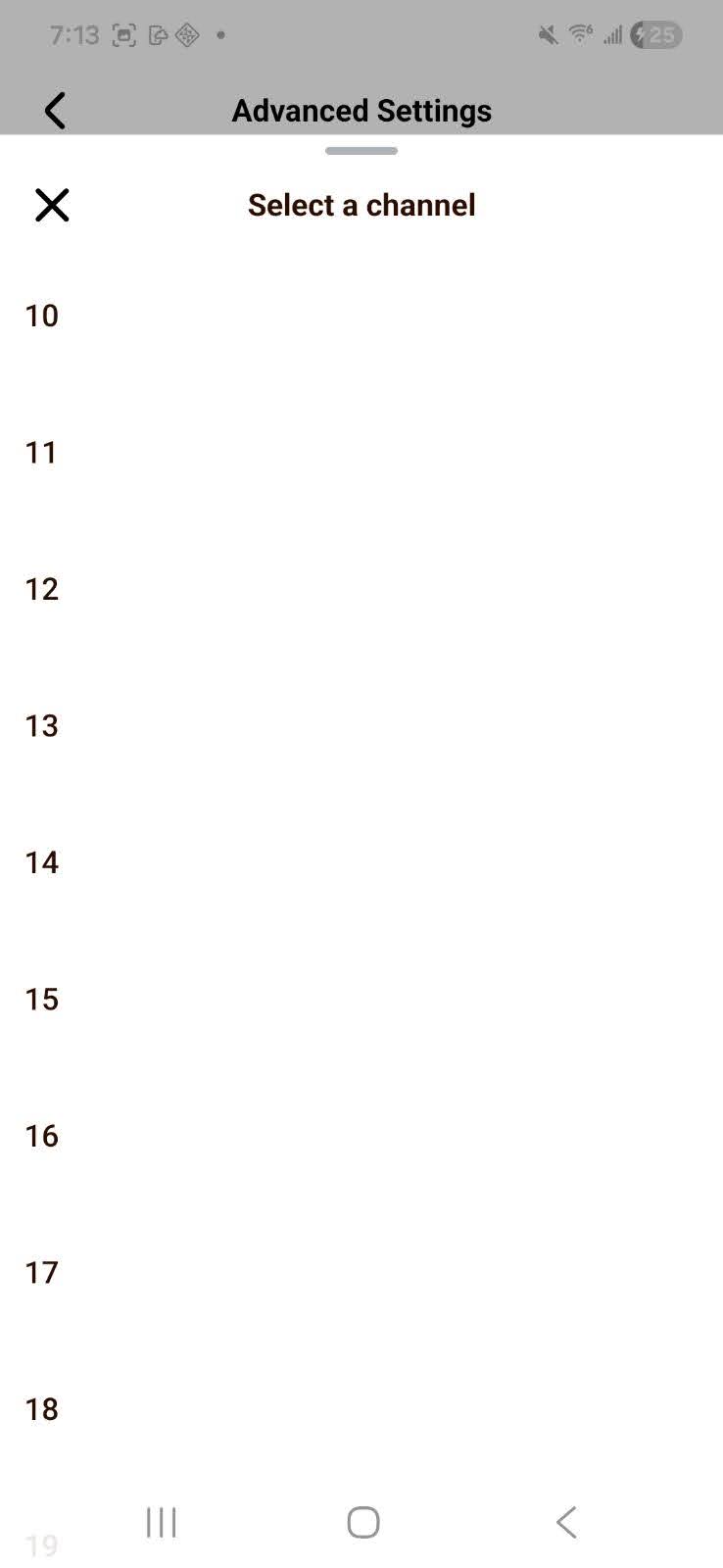
- Receiver (secondary) device — choose the channel set on the Broadcaster device from the dropdown
-
Set the Broadcaster ID
- Broadcaster (primary) device: The Broadcaster ID is automatically generated and displayed on the Broadcaster device's screen.
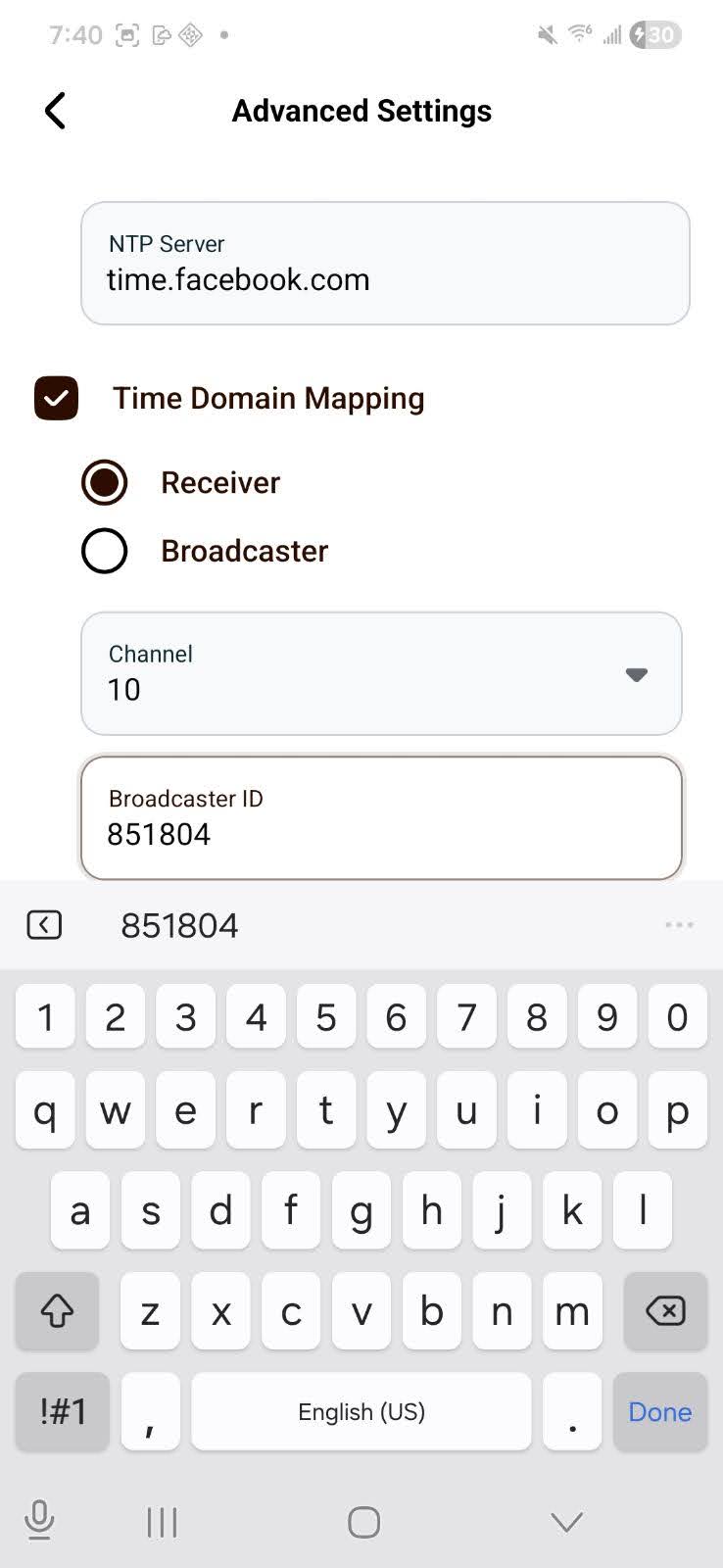
- Receiver (secondary) device: Enter the Broadcaster ID exactly as shown on the device set as Broadcaster. This allows the Receiver device to tune into the correct signal for synchronizing with the Broadcaster.
Starting a Synchronized Recording
Important: The Broadcaster (primary) device MUST start recording first before any Receiver (secondary) devices begin recording.
-
Configure all devices with matching Channel and Broadcaster ID settings.
- Refer to steps above in Configuring Channel and Broadcaster ID
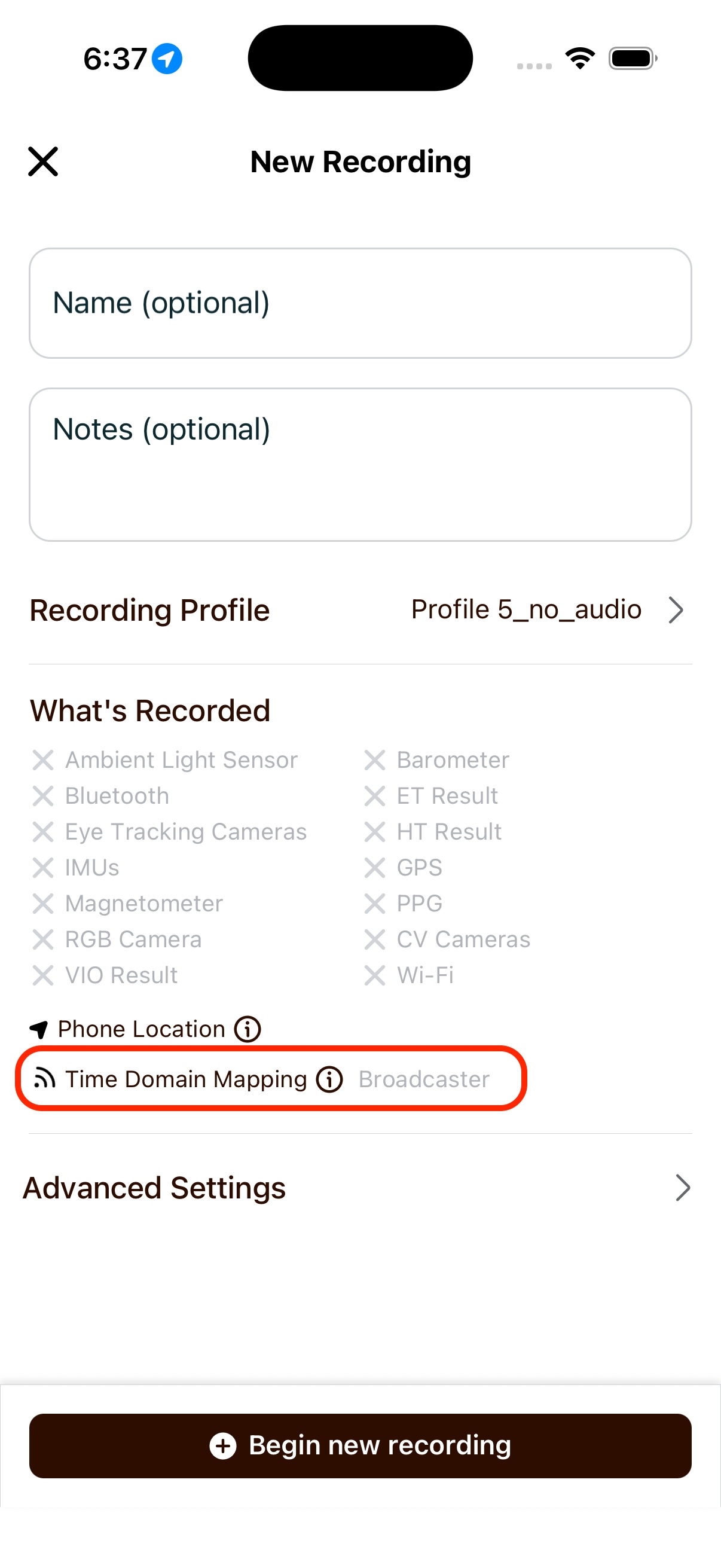
- Confirm that Time Domain Mapping shows up in the "what's recorded" section of the "New Recording" screen
-
Tap Begin new recording on each device.
- Start with the Broadcaster (primary) device first
-
Receiver devices will automatically sync to the Broadcaster's timing signals.
Supported Regions
Europe & ETSI Regions (Channels 0–2)
- Great Britain (GB)
- Germany (DE)
- Spain (ES)
- Italy (IT)
- Sweden (SE)
- Denmark (DK)
- France (FR)
- Netherlands (NL)
- Finland (FI)
- Hungary (HU)
- Poland (PL)
- Belgium (BE)
- Ireland (IE)
- Czech Republic (CZ)
- Austria (AT)
- Portugal (PT)
- Greece (GR)
- Romania (RO)
- Luxembourg (LU)
- Switzerland (CH)
- Singapore (SG)
- India (IN)
- Saudi Arabia (SA)
- Norway (NO)
- Hong Kong (HK)
Americas & FCC Regions (Channels 10–40)
- United States (US)
- American Samoa (AS)
- Guam (GU)
- Northern Mariana Islands (MP)
- Puerto Rico (PR)
- United States Minor Outlying Islands (UM)
- United States Virgin Islands (VI)
- Canada (CA)
- Colombia (CO)
- Taiwan (TW)