Note
Go to the end to download the full example code.
Track 1 – EEG-to-Image (cross-stimulus retrieval)
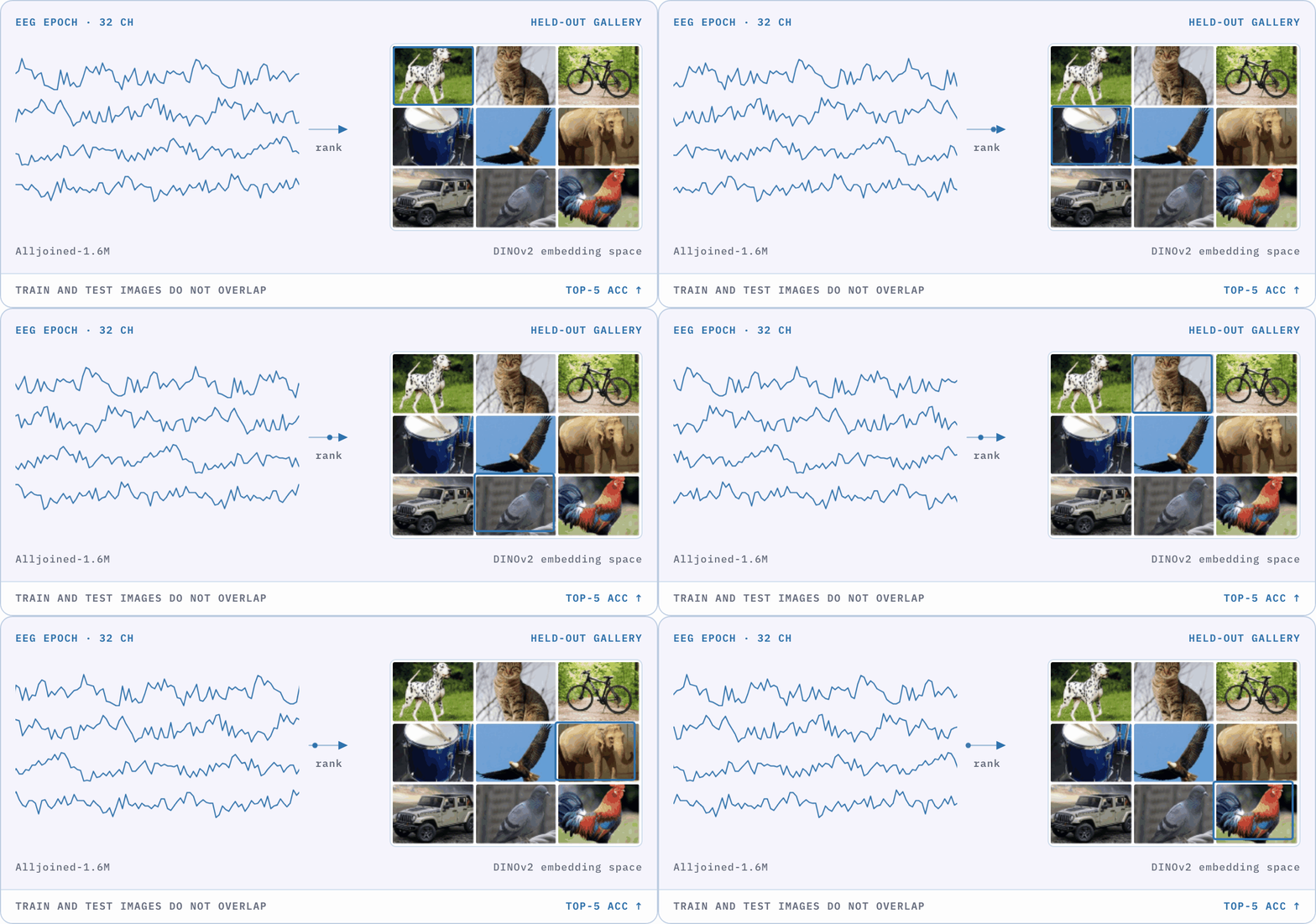
Given EEG recorded while a participant views a natural image, decode the image identity. The competition tests cross-stimulus generalisation: training images and test images do not overlap, so the track probes whether neural representations transfer beyond memorised concepts.
Shift: seen images -> unseen images.
Headline metric: Top-5 retrieval accuracy against the held-out candidate set, ranked in a frozen DINOv2-giant embedding space (higher is better).
Data: THINGS-EEG1 + THINGS-EEG2 + Alljoined-1 + Alljoined-1.6M (88 subjects, research- and consumer-grade hardware). The hidden evaluation cohort adds 11 subjects recorded by Alljoined on the same 32-channel Emotiv hardware and natural-image paradigm as Alljoined-1.6M.
New to NeuralBench? Start here
This page is a track guide, not an introduction to the ecosystem. If you arrived straight from the competition website:
Challenge overview – what NeuralBench is, how it relates to the competition, and the baseline numbers for all four tracks.
Installation and the quickstart – get a task running on a 1.5 GB dataset before you download anything large.
Official Track 1 guide – registration, rules, data access, prizes, leaderboard. Authoritative on every competition matter; this page only covers the code.
Where to find this task in NeuralBench
The closest task in NeuralBench is Image decoding.
CLI:
neuralbench eeg imageDefault dataset:
Gifford2022Large(THINGS-EEG2, 10 subjects, 63 channels). This is one of the four datasets the competition uses.Target: frozen
facebook/dinov2-giantimage embeddings (1536-d), aligned with a CLIP contrastive loss – the same embedding space the competition scorer uses.Headline metric key:
test/full_retrieval/inv_norm_rank_mean– retrieval AUC against every candidate in the test set: 1.0 when the viewed image always ranks first, ~0.5 at chance. In October 2026 it replaced Top-5 accuracy as the headline of every NeuralBench retrieval task, as it does not depend on the number of candidates.Top-5 accuracy is still computed and reported for every run:
test/full_retrieval/top5_acc_subject-agg(averaged over subjects, the closest to the competition metric),top5_accandtop5_acc_instance-agg, alongside the Top-1 the competition reports (top1_acc_subject-agg). The--plot-cachedfigures and tables show the headline only; the Top-k values are among the test metrics each run logs and returns.
What the config is. A NeuralBench task is one config.yaml, and
nothing else: a YAML overlay on the neuralbench/defaults/ configs naming
the study to load, how to split it, what the target is, the loss, and the
metrics. Reading it is the fastest way to know exactly what the baseline
does.
Show tasks/eeg/image/config.yaml
# Copyright (c) Meta Platforms, Inc. and affiliates.
# All rights reserved.
#
# This source code is licensed under the license found in the
# LICENSE file in the root directory of this source tree.

data:
  study:
    source:
      name: Gifford2022Large
    split:
      name: PredefinedSplit
      test_split_query: null
      col_name: split
      valid_split_by: timeline
      valid_split_ratio: 0.2
      valid_random_state: 33
  neuro.baseline: [0.0, 0.2]
  target:
    name: HuggingFaceImage
    model_name: facebook/dinov2-giant
    layers: 0.6667
    token_aggregation: mean
    imsize: 518
    aggregation: trigger
    infra:
      cluster: !!python/name:neuralbench.config_manager.CLUSTER
      keep_in_ram: false
      timeout_min: 180
      gpus_per_node: 1
      cpus_per_task: 10
      min_samples_per_job: 64
  trigger_event_type: Image
  start: -0.2
  duration: 1.0
  summary_columns: [category, filepath]
brain_model_output_size: &brain_model_output_size 1536
trainer_config.monitor: val/batch_inv_norm_rank_mean
trainer_config.mode: max
loss:
  name: ClipLoss
  norm_kind: y
  temperature: false
  symmetric: false
metrics: !!python/name:neuralbench.metric_configs.retrieval_metrics
test_full_retrieval_metrics: !!python/name:neuralbench.metric_configs.test_full_retrieval_metrics
Split and model selection
Split. This is the one track whose split is not subject-level, and
that is deliberate: Track 1 measures generalisation to unseen images,
not unseen people. PredefinedSplit reuses THINGS-EEG2’s own
train/test partition, whose test images are concepts disjoint from the
training images, then holds out 20 % of the training recording-sessions
as validation (valid_split_by: timeline, seed 33). All 10
participants appear in train, validation and test. Of the 80
recording-sessions, 40 are the dataset’s test sessions and the remaining
40 split into 32 train and 8 validation.
Model selection. The checkpoint with the highest ``val/batch_inv_norm_rank_mean`` is kept, over at most 40 epochs with early stopping after 5 epochs without improvement.
Both validation metrics rank each EEG epoch against the other 63 items
in its batch, whereas the test metrics rank against every candidate in
the test set. val/batch_top5_acc, also logged, therefore reads far
higher than any test Top-5 and is not comparable; the batch retrieval AUC
is normalised by the candidate count, so it sits on the same scale as the
headline. Full-set retrieval is computed by a callback that runs on test
only, so a batch-level proxy is what is available at checkpoint time.
The competition ranks by Top-5 accuracy, not retrieval AUC. To select
checkpoints on Top-5 instead, set trainer_config.monitor to
val/batch_top5_acc, through either route described below.
How to change it, in increasing order of effort:
--dataset <name>mergestasks/eeg/image/datasets/<name>.yamlover the base config. That is how the alternative corpora below are selected, and how the competition corpus will be once it ships.-m <model>and-w <preset>swap the architecture and the adaptation strategy (frozen probe, LoRA, full fine-tuning) without touching any file.Anything else – window length, learning rate, split – is a config edit. From Python, pass dotted keys to
evaluate_model()(overrides={"data.duration": 1.0}). From a source checkout (pip install -e), editconfig.yamldirectly, or add your owndatasets/*.yamlvariant beside the existing ones and select it with--dataset. Both routes are described in Adding a New Task.
Reproducing the baseline
Tip
The default corpus is a ~220 GB download. --dataset xu2024alljoined
(Alljoined-1, ~5 GB, under a minute to fetch) runs the same pipeline
end to end on a fraction of that, which is the cheaper way to find out
whether your setup works before committing to the default.
# 1. Download THINGS-EEG2 into DATA_DIR: ~220 GB, hours over a typical
#    link. One-off per machine, and safe to interrupt and re-run -- it
#    skips files already on disk. Nothing trains in this step.
neuralbench eeg image --download

# 2. Build the caches under CACHE_DIR (~13 GB): the preprocessed windows,
#    plus one frozen DINOv2-giant embedding per unique stimulus (~100 MB
#    for THINGS-EEG2, content-keyed and shared with the other image
#    tasks). The only --prepare of the four tracks that needs a GPU.
#    ~15 min for eegnet's cache, ~45 min for reve's, and ~10 min to embed
#    the 16740 stimuli, spread over 10 and 128 SLURM jobs respectively.
neuralbench eeg image --prepare

# 3. Sanity check before you queue anything: 2 epochs, a data subset, one
#    seed, always in-process, so progress lands in your terminal. ~2 min
#    on one V100 with the cache warm. Name the model you actually plan to
#    run -- a bare --debug takes the config default, which is EEGNet.
neuralbench eeg image -m eegnet --debug

# 4. Same check for the foundation model. The first build pulls REVE's
#    weights from the HuggingFace Hub, which needs network access; doing
#    it here rather than in a queued run keeps any failure in your
#    terminal instead of a job log.
neuralbench eeg image -m reve --debug

# 5. Full baseline -- task-specific model (EEGNet). ~2.5 h per seed, and
#    the default grid is three seeds (concurrent on SLURM).
neuralbench eeg image -m eegnet

# 6. Full baseline -- foundation model (REVE), fine-tuned end to end.
#    ~5.5 h per seed. ~69M parameters against EEGNet's ~1.5k, all of them
#    trainable here, so this one wants a datacentre GPU rather than a
#    laptop; it also preprocesses at 200 Hz against the 120 Hz default,
#    warming a second cache.
neuralbench eeg image -m reve
Pretrained model weights covers the hub cache, and no run has a CPU
fallback – --debug included.
Steps 5 and 6 cache the test-metric dictionary under SAVE_DIR, and
re-running the same command with --plot-cached turns those cached
metrics into comparison plots and CSV tables without retraining. On SLURM
they return as soon as the grid is queued, so the numbers appear in the job
logs rather than your terminal; see Collecting and plotting your results.
Evaluating a model of your own
A model that lives in your own codebase needs no YAML here:
evaluate_model() takes the built instance, wraps it in a
probe sized to the task, and returns the scores as a DataFrame.
from neuralbench import check_model, evaluate_model

print(check_model(my_model, "eeg", "image"))  # shapes only, seconds
scores = evaluate_model(my_model, "eeg", "image", name="my-fm", debug=True)
See Evaluating your own model for what
forward has to accept, the adaptation presets, and how to fan the runs
out to SLURM.
Where the competition data diverges
The starter kit ships four relevant datasets you can use to develop
and evaluate your model, while the competition itself evaluates on a
hidden Alljoined Emotiv cohort. The four available training
sources are Gifford2022Large (THINGS-EEG2, the default),
Grootswagers2022Human (THINGS-EEG1), Xu2024Alljoined
(Alljoined-1) and Xu2025Alljoined (Alljoined-1.6M). They give
directionally correct baselines but not the exact competition numbers
(the hidden Emotiv test set is not public).
Xu2025Alljoined is the one to train on if you only pick one: the
evaluation cohort is recorded with the same 32-channel Emotiv hardware and
the same natural-image protocol.
The three non-default sources are registered under
tasks/eeg/image/datasets/ and can be selected with --dataset:
neuralbench eeg image --dataset grootswagers2022human
neuralbench eeg image --dataset xu2024alljoined
neuralbench eeg image --dataset xu2025alljoined
Total running time of the script: (0 minutes 0.000 seconds)